 QRBELL Team
QRBELL: One Smart QR Solution for Vehicle Safety, Emergency Connectivity & Smart Driving
Make Your Car and Bike Smarter, Stay Connected and Help Your Family Drive More Responsibly with QRBELL.
Imagine a situation where someone finds your car blocking a society gate, notices that your vehicle lights are switched on, or needs to contact you because your vehicle has been involved in an incident.
How can they reach you quickly?
Displaying your personal mobile number on your vehicle may not always be desirable. Searching for the vehicle owner's details can also take valuable time.
This is where QRBELL – Scan • Connect • Secure comes in.
QRBELL is a smart QR-based connectivity platform designed to help vehicle owners, families, housing societies and businesses connect through QR technology.
By placing a QRBELL Vehicle Tag on your car or bike, you can provide a convenient QR-based contact option for people who need to reach the vehicle owner.
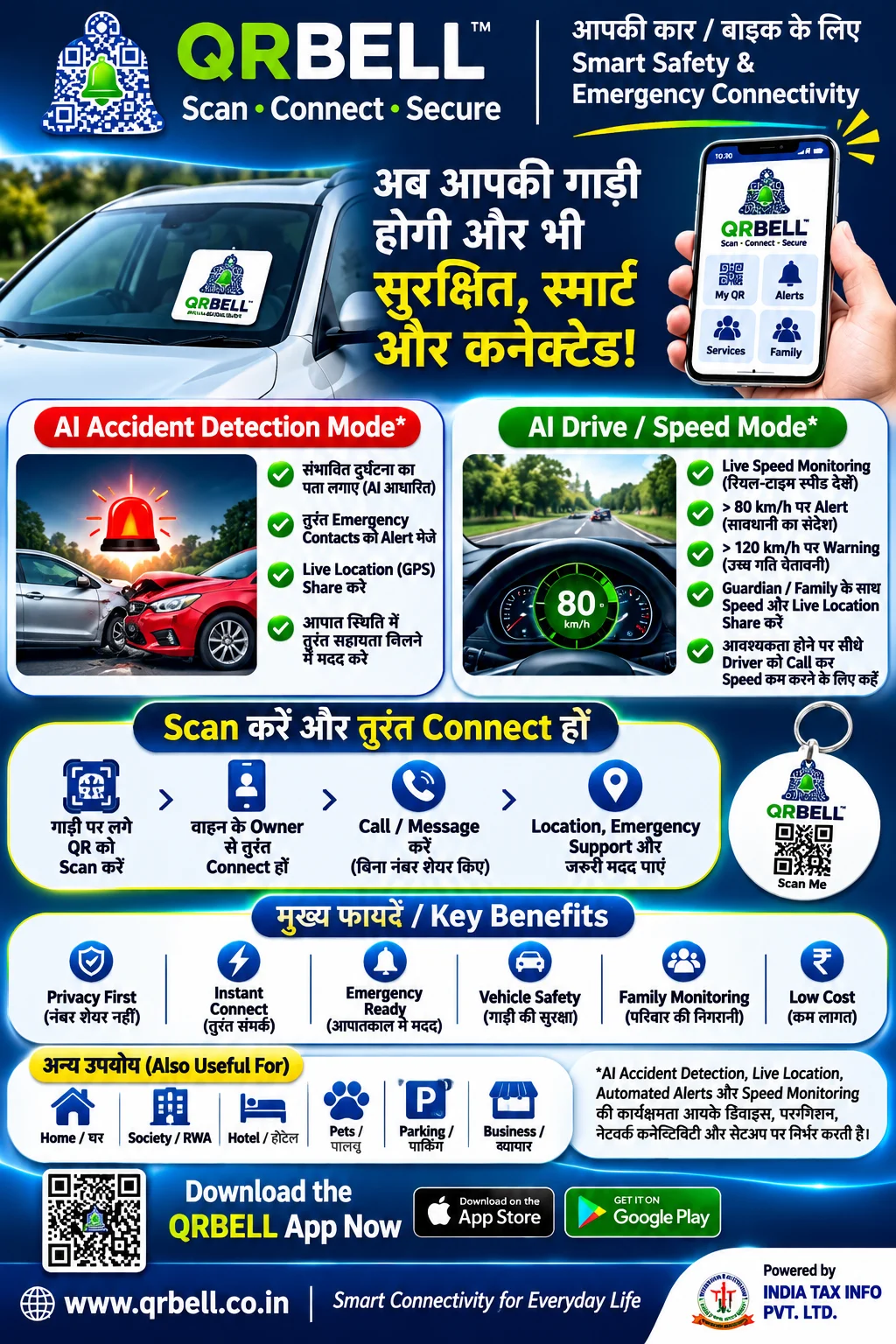
Beyond vehicle connectivity, QRBELL also offers features such as AI Accident Detection and AI Drive Mode for supported use cases.
Let's explore how QRBELL can make everyday vehicle communication smarter.
Official Website: https://www.qrbell.co.in
1. What Is QRBELL?
QRBELL is a smart QR-based connectivity platform that helps people connect with vehicle owners, homes, families, businesses and other services through QR codes.
Its Vehicle Tag is designed to make vehicle-owner communication easier.
Instead of displaying your personal mobile number publicly on your car or bike, you can use a QRBELL Vehicle Tag.
When someone scans the QR code, the available contact options can help them connect with the vehicle owner through the configured application.
QRBELL can be useful for:
- Car Owners
- Bike Owners
- Families
- Parents and Young Drivers
- Housing Societies
- RWA Management
- Parking Areas
- Fleet Operators
- Commercial Vehicle Owners
QRBELL – Scan • Connect • Secure
2. Why Does Every Car and Bike Need Smart QR Connectivity?
Vehicles are an essential part of everyday life. However, vehicle owners regularly face situations where someone needs to contact them.
Consider these common examples:
A. Wrong Parking
Someone parks a car in a way that blocks another vehicle or creates inconvenience for residents.
Instead of waiting or searching for the owner, the concerned person can scan the QRBELL Vehicle Tag and use the available contact option.
B. Gate Blocked
A vehicle is parked in front of a society gate, driveway or entrance.
A QR-based contact option can help the affected person reach the vehicle owner.
C. Vehicle Lights Left On
Someone notices that your car headlights or parking lights are switched on.
They can scan your QRBELL tag and use the configured contact facility to inform you.
D. Vehicle Hit or Accidental Damage
If someone notices that your parked vehicle has been hit or damaged, QRBELL can provide a convenient way to contact the owner through its available QR-based communication options.
E. Emergency Communication
In an urgent situation, a person may need to contact the vehicle owner or an authorized contact.
QRBELL helps provide a digital contact route through the configured QR-based system.
3. How Does the QRBELL Vehicle Tag Work?
Using QRBELL Vehicle Tag is designed to be simple.
Step 1: Get Your QRBELL Vehicle Tag
Choose a suitable QRBELL Vehicle Tag for your car or bike.
Step 2: Activate Your QR Code
Register and activate the tag through the supported QRBELL application process.
Step 3: Place the Tag on Your Vehicle
Place the tag at a suitable, clearly visible location, such as the vehicle window, following the product's installation instructions.
Step 4: Someone Scans Your QR Code
A person who needs to contact you scans the QR code using a compatible smartphone.
Step 5: Connect with the Vehicle Owner
The available contact options allow the person to initiate communication through the configured QRBELL system.
Step 6: Receive Important Information
You can receive the relevant communication or notification through the supported application workflow.
The exact contact and notification experience depends on the tag activation, application settings and supported services.
4. AI Accident Detection – A Smarter Approach to Emergency Awareness
Road accidents can happen unexpectedly. One of the major challenges during an accident is ensuring that important information reaches family members or authorized emergency contacts.
QRBELL includes an AI Accident Detection feature designed to identify a possible accident and support emergency communication through the configured application.
How Can AI Accident Detection Help?
Depending on the actual implementation and device support, the feature may support:
- Detection of a possible vehicle accident.
- Alerts to configured emergency contacts.
- Live GPS location sharing.
- AI-assisted emergency communication.
- Helping authorized contacts become aware of a possible incident.
Why Is This Feature Important?
Imagine a family member is travelling alone.
If a possible accident is detected and the feature is enabled and working correctly, the configured system may help send an alert to authorized contacts.
This can help family members become aware of the situation and take appropriate action.
Important: Accident detection is not guaranteed to identify every accident. Its performance depends on the actual detection technology, device compatibility, permissions, network connectivity and configuration. Users should not rely on it as a replacement for emergency services.
5. AI Drive Mode – Monitor Speed and Encourage Responsible Driving
Parents often worry about the driving habits of their children.
Questions such as these are common:
- Is my child driving too fast?
- Is the vehicle being driven responsibly?
- Can I receive a speed alert?
- Can I share live vehicle location with my family?
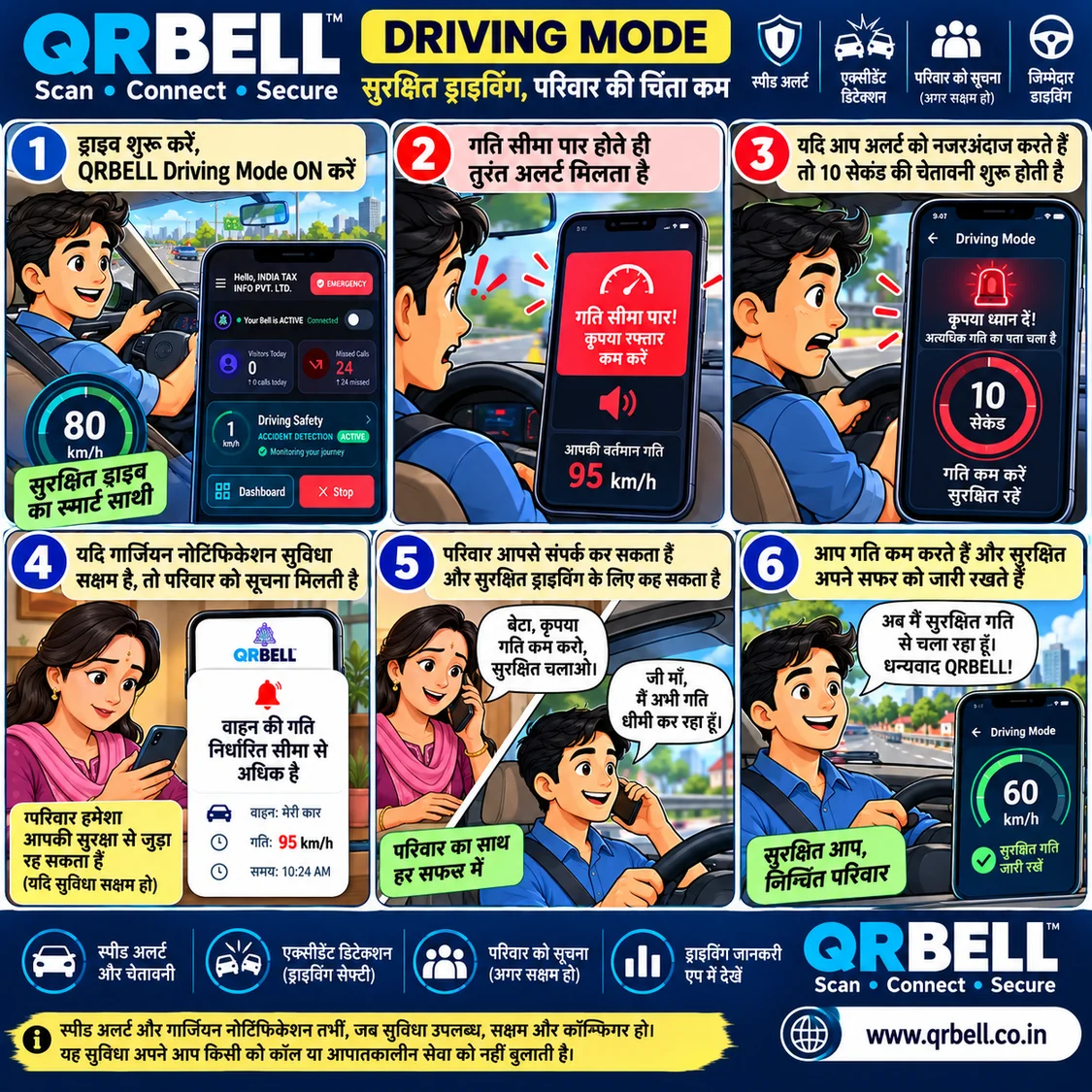
QRBELL AI Drive Mode is designed to support driving awareness through speed monitoring and authorized family connectivity.
Key AI Drive Mode Features
1. Live Speed Monitoring
View vehicle speed through the supported application when the required device permissions and services are enabled.
2. Speed Alert Above 80 km/h
The configured AI Drive Mode can send an alert when the monitored speed exceeds 80 km/h.
3. Warning Above 120 km/h
A higher-speed warning can be generated when the monitored speed exceeds 120 km/h.
4. Family and Guardian Connectivity
Vehicle owners can share access with an authorized guardian or family contact, subject to the application's supported settings.
5. Live Location Sharing
Where enabled and supported, authorized contacts can view the shared vehicle location.
6. Guardian Communication
If a speed notification is received, the guardian can contact the driver and advise them to reduce speed.
An Example: Parents and Young Drivers
Suppose a parent allows their child to use the family car.
The parent enables the supported AI Drive Mode and shares access with an authorized contact.
If the vehicle crosses the configured speed threshold:
- The system may generate a speed alert.
- The authorized guardian may receive the notification.
- Shared location and speed information may be available.
- The guardian can call the driver and advise them to slow down.
This can encourage responsible driving habits and improve family awareness.
Please Note: AI Drive Mode is a monitoring and alert feature. It does not automatically control, slow down or stop the vehicle. Speed alerts depend on supported GPS/device data, app settings, permissions and network connectivity.
6. QRBELL for RWA and Housing Societies
Housing societies are ideal environments for QR-based vehicle connectivity because hundreds or thousands of vehicles may enter, exit and park within a residential community.
RWA management teams regularly deal with vehicle-related communication problems.
QRBELL can provide an additional digital communication option for residents and vehicle owners.
Common RWA Use Cases
| SituationHow QRBELL Can Help | |
| Wrong Parking | Contact the vehicle owner |
| Gate Blocked | Send a contact request |
| Lights Left On | Inform the owner |
| Vehicle Damage | Initiate owner communication |
| Emergency | Access configured contact options |
| Society Parking | Support vehicle connectivity |
Benefits for Residents
- Convenient QR-based contact.
- Privacy-focused contact options.
- Easier vehicle-owner communication.
- Less need to display personal mobile numbers publicly.
- Useful for cars and bikes.
Benefits for RWA Management
- Support more organized vehicle communication.
- Encourage residents to use smart vehicle tags.
- Help reduce communication delays in common parking situations.
- Promote a technology-enabled residential community.
QRBELL can be introduced through RWA awareness campaigns, resident meetings and society events.
7. QRBELL Is More Than a Vehicle QR Tag
QRBELL is designed for several everyday connectivity use cases.
7.1 Smart Home and Visitor Connectivity
QR-based access can help residents connect with visitors, delivery personnel and other service-related contacts through supported home configurations.
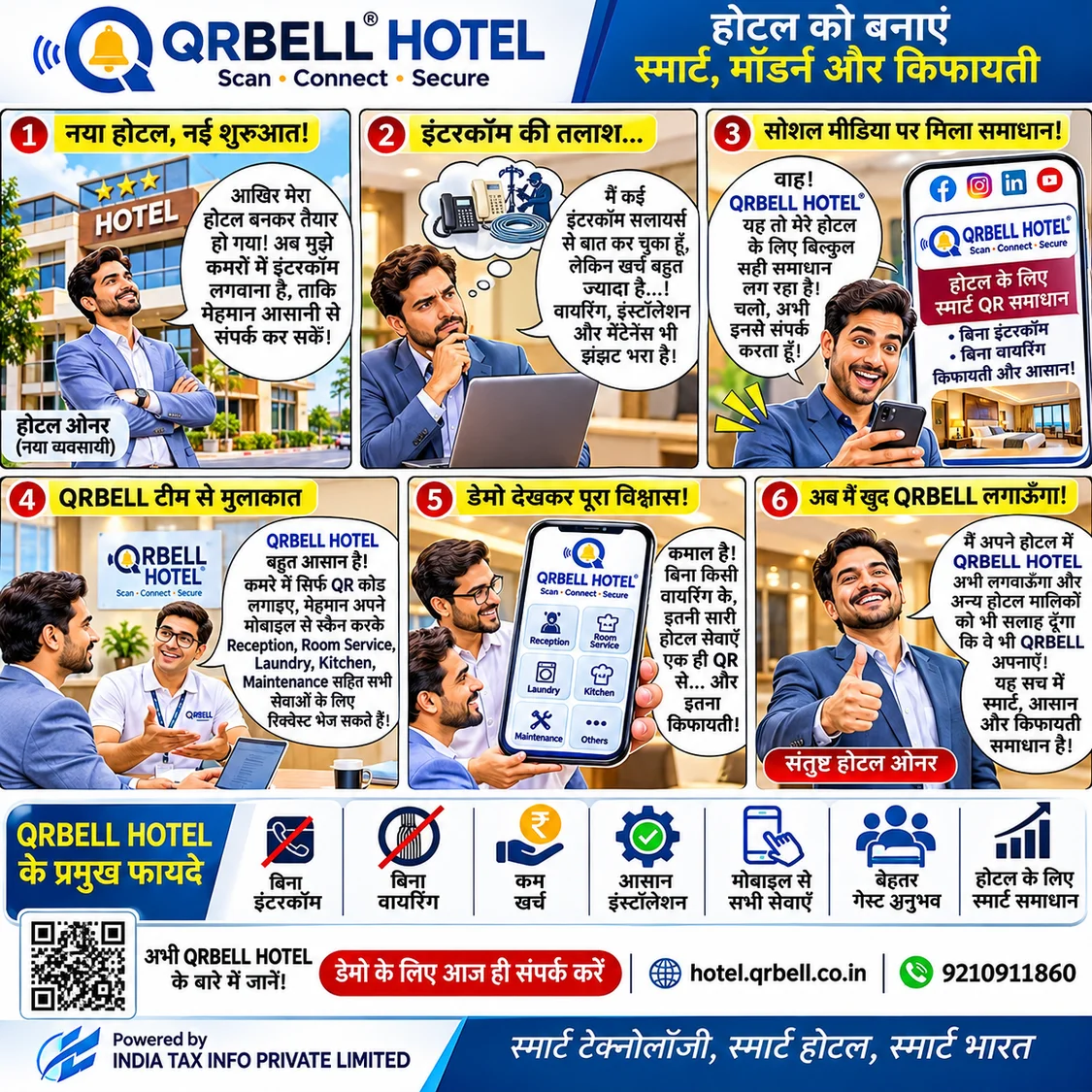
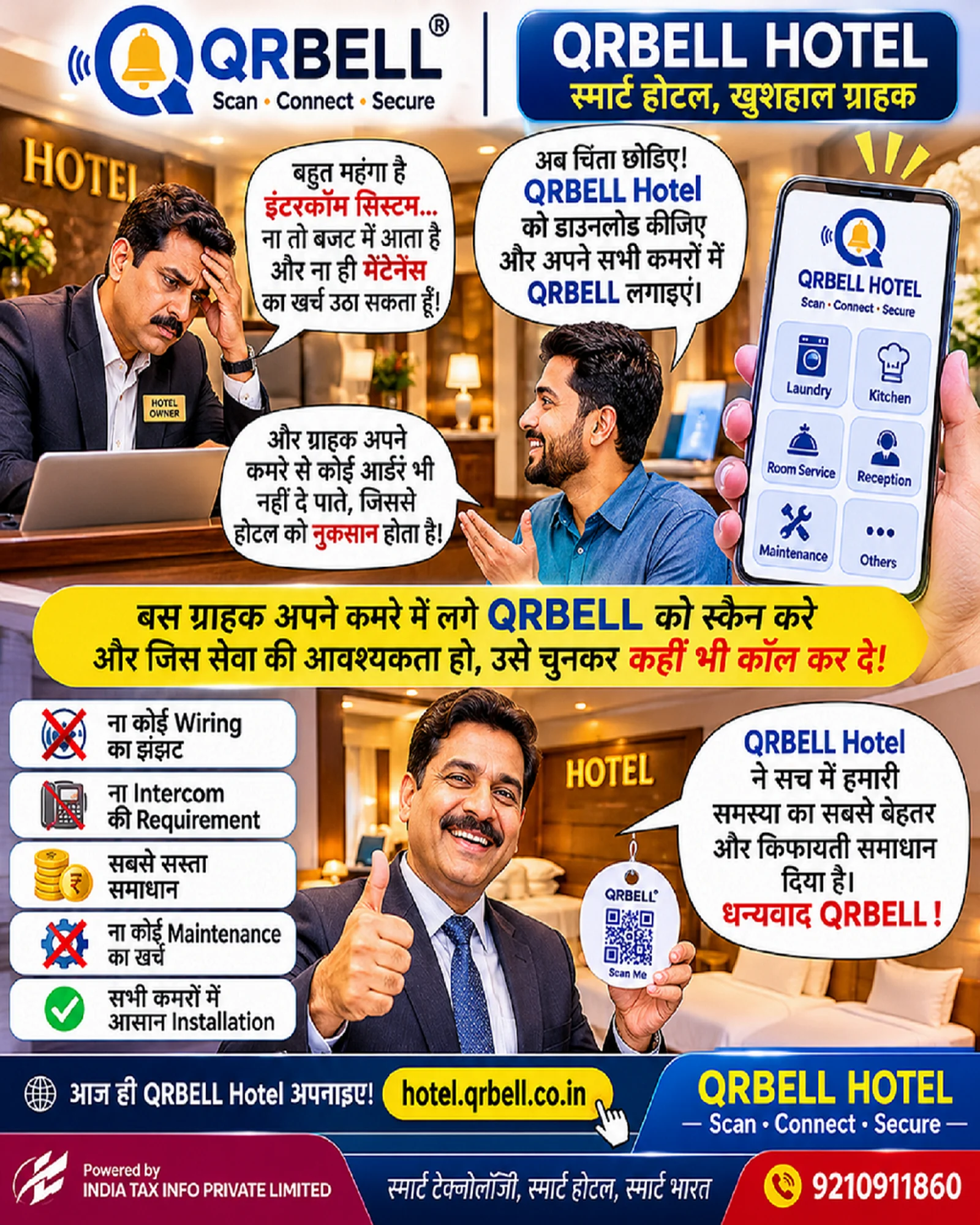
7.2 Hotel Connectivity
QRBELL HOTEL helps hotel guests access configured services such as Reception, Room Service, Laundry, Kitchen and Maintenance through QR-based connectivity.
Website: https://hotel.qrbell.co.in
7.3 Pet Safety
QRBELL Pet Tags can help people who find a lost pet access the configured contact information and reach its owner.
7.4 Lost & Found
QR-based tags can help people contact the owner of a lost item, such as a bag, wallet or keys, through the supported contact workflow.
7.5 Smart Parking
QR-based vehicle connectivity can help people contact vehicle owners in parking areas.
7.6 Business Connectivity
Businesses can explore QRBELL for customer communication, service requests and other supported QR-based contact applications.
8. Why Choose QRBELL?
QRBELL brings several useful ideas together in one smart QR connectivity platform.
Privacy-Focused Connectivity: Avoid displaying your personal mobile number publicly where the supported contact workflow allows it.
Easy QR Scanning: People can scan a QR code using a compatible smartphone.
Smart Notifications: Receive supported alerts and notifications through the configured application.
Vehicle Connectivity: Make it easier for people to reach vehicle owners.
Family Connectivity: Explore authorized sharing and driving-awareness features.
Multiple Use Cases: Use QR-based connectivity for vehicles, homes, hotels, pets, parking and businesses.
Cloud-Based Platform: Access supported digital services through the QRBELL ecosystem.
9. How to Get Started with QRBELL
Getting started is simple:
- Visit the official QRBELL website.
- Download the QRBELL application from a supported app store.
- Register and complete the required activation process.
- Choose the appropriate QRBELL product.
- Activate your QR code.
- Install the tag according to the product instructions.
- Configure the supported contact, notification and sharing settings.
Before using emergency or driving-related features, check the required permissions, device compatibility, notification settings and network connectivity.
10. Make Your RWA Society Smarter with QRBELL
Imagine a housing society where vehicle owners can be contacted through QR tags instead of relying only on handwritten notes, security desk announcements or publicly displayed mobile numbers.
Imagine parents having access to supported driving alerts and family location-sharing features.
Imagine residents being able to communicate about wrong parking, blocked gates and other vehicle-related issues more conveniently.
QRBELL aims to make these everyday interactions smarter through QR technology.
RWA associations, housing society managers and residents can explore QRBELL as part of their smart community initiatives.
Start Your Smart Vehicle Connectivity Journey Today!
Whether you own a car, bike or manage a residential society, explore how QRBELL can support smarter communication.
Website: https://www.qrbell.co.in
QRBELL Online Store: https://store.qrbell.co.in
QRBELL HOTEL: https://hotel.qrbell.co.in
Business & Partnership Enquiries: +91 9210911860
QRBELL – Scan • Connect • Secure
Powered by INDIA TAX INFO PRIVATE LIMITED
Frequently Asked Questions (FAQs)
Q1. What is a QRBELL Vehicle Tag?
A QRBELL Vehicle Tag is a QR-based tag designed to help people access available contact options and connect with the vehicle owner.
Q2. How does QRBELL help with wrong parking?
A person can scan the vehicle's QRBELL tag and use the available contact option to inform the vehicle owner about the parking issue.
Q3. Can I use QRBELL on both cars and bikes?
Yes. QRBELL Vehicle Tags can be used for compatible cars and bikes according to the product's installation and activation instructions.
Q4. Does QRBELL require displaying my mobile number publicly?
QRBELL offers privacy-focused contact options. Whether the number remains hidden depends on the actual contact workflow and application settings.
Q5. What is AI Accident Detection?
It is a feature designed to identify a possible accident and support alerts to configured emergency contacts, subject to device support and actual implementation.
Q6. Can QRBELL share my location during an emergency?
Live location sharing may be available through supported features when the required permissions, connectivity and settings are enabled.
Q7. What is QRBELL AI Drive Mode?
AI Drive Mode provides supported driving-awareness features such as speed monitoring, configured speed alerts and authorized family connectivity.
Q8. What happens when the vehicle speed exceeds 80 km/h?
When the supported AI Drive Mode is enabled and configured, an alert may be generated when monitored speed exceeds 80 km/h.
Q9. What happens when the vehicle speed exceeds 120 km/h?
A higher-speed warning may be generated when the monitored speed exceeds 120 km/h, subject to supported configuration.
Q10. Can parents monitor their children's driving?
Authorized guardians may be able to access supported speed and live location information when the vehicle owner enables the appropriate sharing settings.
Q11. Can QRBELL be used in housing societies?
Yes. QRBELL can be explored for vehicle-owner connectivity, wrong parking communication and other supported RWA use cases.
Q12. Is QRBELL only for vehicles?
No. QRBELL also supports other use cases, including home connectivity, hotels, pets, lost and found, parking and business connectivity.
Q13. Does QRBELL replace emergency services?
No. QRBELL is a connectivity and alert-support platform. In an emergency, users should contact the appropriate emergency services directly.
Q14. How can I purchase a QRBELL Vehicle Tag?
Visit https://store.qrbell.co.in or contact the QRBELL business team at +91 9210911860.
QRBELL VEHICLE TAG
- Scan & Connect
- AI Accident Detection*
- AI Drive Mode*
- Speed Alerts & Family Connectivity
QRBELL – Scan • Connect • Secure