 QRBELL Team
QRBELL Smart QR Tag: Smart Vehicle Connectivity, Accident Detection and Everyday Safety for Just ₹299
QRBELL Smart QR Tag brings QR-based communication and smart connectivity to cars, bikes, homes, families, and everyday belongings. With features designed to support vehicle-owner communication, wrong-parking contact, privacy-focused connectivity, and active Accident Detection capabilities, QRBELL aims to make everyday interactions simpler and smarter.
The QRBELL Smart QR Tag is available at a special offer price of ₹299 against an MRP of ₹799, offering a saving of ₹500, or approximately 62.6%, based on the stated MRP.
Whether you are a car owner, bike rider, family member, or someone looking for a practical QR-based contact solution, QRBELL offers multiple everyday applications through its smart QR ecosystem.
Shop online: https://store.qrbell.co.in
Official website: https://www.qrbell.co.in
What Is the QRBELL Smart QR Tag?
QRBELL is a QR-based communication platform designed to help people connect through QR codes for supported use cases without necessarily displaying their personal mobile number publicly.
A QRBELL tag can be placed on a vehicle or used for other supported applications. When someone scans the QR code, the available information and contact options depend on the tag configuration and the QRBELL platform features enabled for that use case.
The idea is simple: make it easier to connect with the right person when communication is needed.
QRBELL — Scan • Connect • Secure
1. Smart QR Tag for Cars and Bikes
Parking and vehicle-related communication can sometimes be inconvenient. A car may block a driveway, a vehicle may need to be moved, or someone may need to contact its owner.
A QRBELL vehicle tag can provide a QR-based way for someone to initiate contact using the supported QRBELL functionality.
How it can help
- Make vehicle-owner contact easier in supported situations.
- Help people communicate about wrong parking.
- Provide a QR-based contact option for cars and bikes.
- Support privacy-focused communication without publicly displaying a personal phone number, where supported.
- Provide a convenient digital contact point for vehicle-related situations.
For example, if a car is parked in front of someone's gate, the resident may scan the vehicle's QR tag and use the available contact option to reach the owner. The owner can then respond and move the vehicle when appropriate.
This helps turn an uncomfortable situation into a more convenient communication experience.
2. Active Accident Detection: A Step Towards Smarter Driving Support
Road safety is an important concern for drivers, passengers, and their families. QRBELL includes an active Accident Detection feature designed to support accident-related awareness and assistance workflows.
Depending on the implementation and enabled settings, accident detection technology may help identify a possible accident and initiate configured alerts or assistance steps.
Why accident detection matters
- It can help bring attention to a possible accident.
- It may support communication with configured emergency contacts when the relevant workflow is available.
- It can complement a broader vehicle-safety approach.
- It may help families feel better informed when supported alerts are properly configured.
Users should understand that accident detection is not infallible. Performance can depend on device capabilities, permissions, configuration, network connectivity, and the specific implementation. An alert does not guarantee that emergency assistance will arrive.
Important: QRBELL is not a replacement for official emergency services. In an emergency, contact the appropriate local emergency service directly.
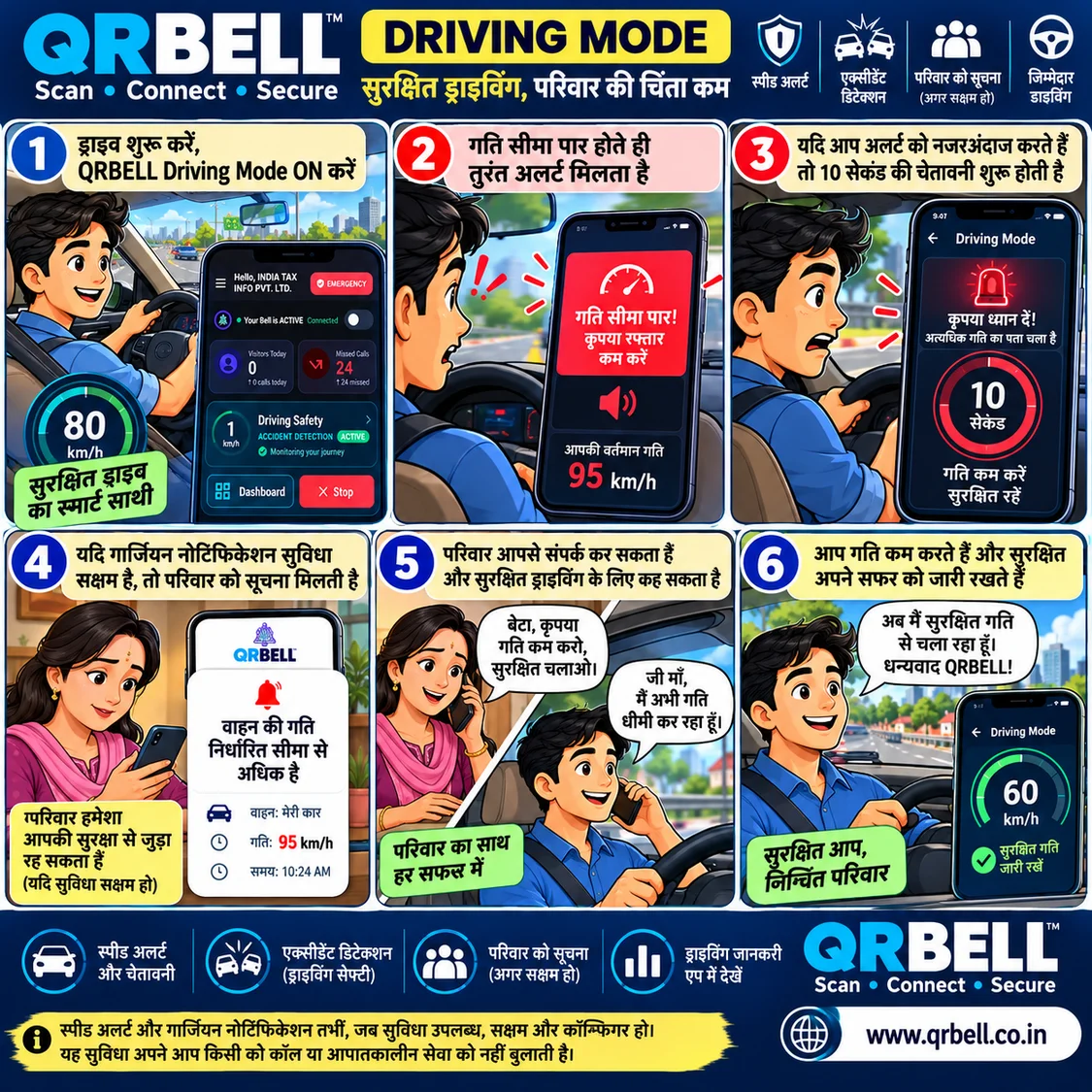
3. QRBELL AI Driving Mode
Driving-related technology can help users access supported safety and driving assistance features. QRBELL's Driving Mode is intended to support the driving experience through available app features and configured workflows.
Before using Driving Mode, users should:
- Install or open the official QRBELL app.
- Sign in and review the available features.
- Enable the relevant permissions and settings.
- Configure any supported emergency contacts or notifications.
- Review the instructions shown in the app.
The availability of speed-related alerts, automatic notifications, location sharing, or other driving workflows depends on the actual app version and configured functionality. Users should check the app's current feature descriptions instead of assuming that every alert or notification is automatic.
Drivers should always obey speed limits and avoid interacting with a phone while driving.
4. Wrong Parking Communication Made Easier
Wrong parking can cause frustration for residents, pedestrians, businesses, and vehicle owners. A vehicle may block a gate, driveway, or access route, while the owner may be difficult to locate.
A QRBELL tag can help by providing a visible QR-based contact option.
Example scenario
Imagine that a car is parked in front of a home gate. The resident notices the QRBELL tag, scans it, and uses the supported contact option to reach the owner. The owner receives the communication, responds, and moves the car.
The result can be a quicker and more polite resolution without unnecessary arguments.
QRBELL does not automatically resolve every parking issue; the result depends on the available contact functionality and the vehicle owner's response.
5. Privacy-Focused Communication
Many people prefer not to display their personal mobile number publicly on vehicles or belongings. QR-based communication can offer another way to connect.
With QRBELL, the intention is to make contact easier while helping users keep personal contact details private where the relevant features support this.
Users should still review the information displayed on their QR profile and configure sharing options carefully. Privacy depends on the product's actual settings and how the user chooses to share information.
6. Useful Beyond Cars: Everyday QR Applications
QRBELL's QR-based approach can support several everyday use cases, depending on the product and configuration.
Bikes and two-wheelers
A QR tag can provide a convenient contact point for vehicle-related communication.
Homes and offices
Supported QR solutions can help people initiate contact in home, gate, or office-related situations.
Lost and found
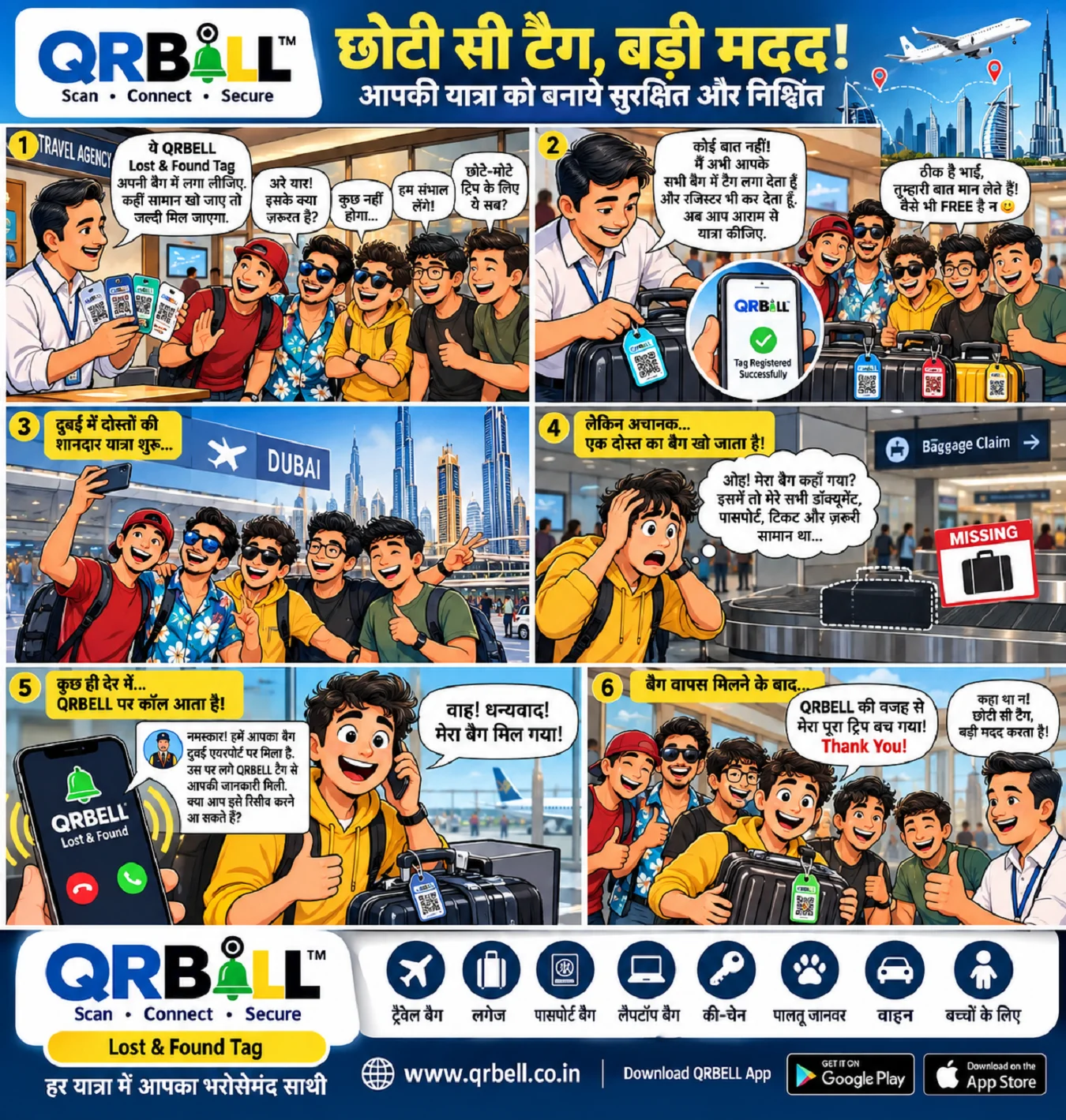
QR tags can help someone who finds a tagged belonging access the available contact or identification information.
Pet identification
A supported QR tag attached to a pet collar can provide a way to access relevant identification or contact details.
Family connectivity
Configured contact features may help family members connect when needed.
The exact functionality varies by QR product type and the features enabled in the QRBELL platform.
7. QRBELL Smart QR Tag Price and Special Offer
If you are looking for a QR-based vehicle contact solution, the current stated offer is:
| Product detailInformation | |
| Product | QRBELL Smart QR Tag |
| Stated MRP | ₹799 |
| Offer price | ₹299 |
| Saving against MRP | ₹500 |
| Approximate discount | 62.6% |
The final price, availability, shipping charges, and applicable terms should be confirmed on the official store at the time of purchase.
Where to Buy QRBELL Online
QRBELL is available through the following online shopping platforms, subject to current listing availability:
- Amazon
- Flipkart
- Meesho
- IndiaMART
- eBay
- Official QRBELL Store
Official store: https://store.qrbell.co.in
For the most direct shopping experience, visit the official QRBELL store and review the current product details before placing an order.
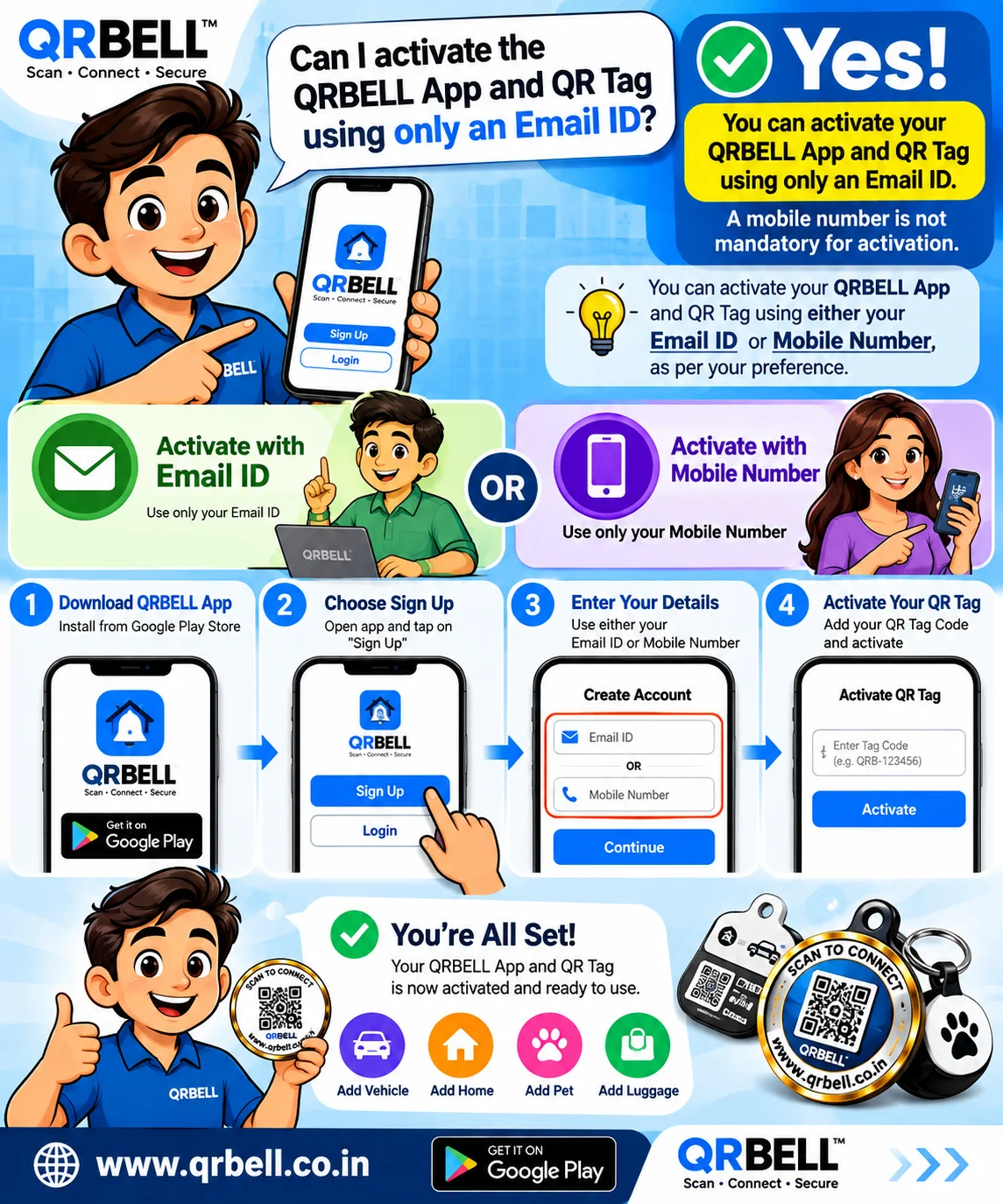
8. How to Get Started With QRBELL
Follow the instructions supplied with your product and the current QRBELL app interface.
Step 1: Prepare the surface
If you are attaching a vehicle tag to glass, clean the intended area and allow it to dry completely.
Step 2: Attach the tag
Remove the tag carefully from its backing and apply it according to the product instructions. Ensure that it does not obstruct the driver's view or interfere with vehicle safety.
Step 3: Install the QRBELL app
Use the official QRBELL website or the appropriate official app-store listing to locate the app.
Step 4: Register or sign in
Follow the app's registration process and complete any required verification.
Step 5: Add or activate your QR
Open the relevant QR management section, such as My QR, and follow the available instructions to add or activate the tag.
Step 6: Review your settings
Check your profile details, contact options, privacy settings, and any supported emergency or driving-related settings.
Step 7: Test the tag
Scan the QR code with a suitable phone and confirm that it opens the intended QRBELL page and displays the correct contact options.
Menu names and activation steps may change with app updates. Follow the current in-app instructions if they differ from this guide.
9. Who Can Benefit From QRBELL?
QRBELL may be useful for:
- Car owners and bike riders.
- Families looking for convenient contact options.
- People who want to reduce public exposure of their personal phone number.
- Residents who need a better way to contact vehicle owners.
- People interested in QR-based lost-and-found solutions.
- Pet owners using supported QR identification tags.
- Businesses and organizations exploring smart QR communication.
The best use depends on the specific QR tag, the features available in the app, and the user's needs.
10. Why Choose QRBELL?
QRBELL brings several everyday use cases into a QR-based ecosystem:
- Convenience: A visible QR code can make it easier to initiate contact.
- Versatility: Different QR solutions can support vehicles, homes, belongings, and pets.
- Privacy focus: Supported contact workflows can help avoid publicly displaying a personal mobile number.
- Safety-oriented features: Accident Detection and Driving Mode offer additional capabilities where implemented and configured.
- Digital connectivity: QR codes provide a simple way to connect physical objects with digital information.
Technology can support safer and more convenient communication, but it should complement responsible behaviour and established emergency procedures.
Frequently Asked Questions (FAQs)
1. What is QRBELL Smart QR Tag?
QRBELL Smart QR Tag is a QR-based connectivity product designed to support contact and communication for vehicles and other everyday use cases.
2. What is the current price of QRBELL Smart QR Tag?
The stated special offer price is ₹299 against an MRP of ₹799. Confirm the current price and terms on the official store before ordering.
3. Can QRBELL help with wrong parking?
Yes, the tag can provide a QR-based way to initiate contact with the vehicle owner through supported features. Resolution depends on the available contact options and the owner's response.
4. Does QRBELL support Accident Detection?
QRBELL includes an active Accident Detection feature. Its operation and any follow-up alerts depend on the implemented functionality, device support, permissions, network connectivity, and configuration.
5. Does Accident Detection guarantee emergency assistance?
No. Detection or notification does not guarantee that an emergency service will be contacted or arrive. Contact the appropriate emergency service directly when needed.
6. Can people contact me without seeing my mobile number?
QRBELL is designed to support privacy-focused contact where the relevant functionality is available. Review your QR profile and settings to confirm what information is displayed or shared.
7. Where can I buy QRBELL?
Visit the official store at https://store.qrbell.co.in. You can also check QRBELL listings on Amazon, Flipkart, Meesho, IndiaMART, and eBay, subject to availability.
8. Can QRBELL be used for pets or lost belongings?
Supported QR tags can be used for pet identification or lost-and-found contact, depending on the product and its configuration.
9. How do I activate my QRBELL tag?
Install the official app, register or sign in, open the QR management section, follow the add/activation instructions, and test the QR code.
10. Is QRBELL a replacement for safe driving or emergency services?
No. Drivers must obey traffic rules, avoid phone use while driving, and contact official emergency services when necessary. QRBELL features should be treated as supplementary tools.
Conclusion: Make Everyday Connectivity Smarter With QRBELL
From vehicle-owner communication and wrong-parking contact to supported Accident Detection and other QR-based applications, QRBELL aims to make everyday connectivity more convenient.
At the stated offer price of ₹299, the QRBELL Smart QR Tag is an option for users exploring smart QR communication for their vehicles and daily lives.
Explore QRBELL today:
🛒 Official Store: https://store.qrbell.co.in
🌐 Website: https://www.qrbell.co.in
📲 WhatsApp: 9210911860
QRBELL — Scan • Connect • Secure
Powered by India Tax Info Private Limited.