Aug 31, 2026
•
1 min read
•
40 views
Bike Accident ke Samay Family Tak Information Kaise Pahunche? QR BELL Connected Tag Ka Smart Safety Concept
🚨 Bike Accident ke Samay Family Tak Information Kaise Pahunche? QR BELL Connected Tag Ka Smart Safety Concept
Road par travel karte samay safety sabse important hoti hai. Lekin kabhi-kabhi accident achanak ho jata hai aur injured person khud kisi ko call ya message karne ki condition me nahi hota.
Aise situation me sabse bada sawaal hota hai:
“Agar mere saath kuch ho jaye aur main khud communicate na kar paun, to mere family members ko information kaise milegi?”
Isi problem ko dhyan me rakhte hue QR BELL Connected Tag ek smart QR-based communication concept provide karta hai, jiska purpose zarurat ke samay available contact options tak easy access dena hai.
🛵 Ek Real-Life Type Situation Samajhiye
Maan lijiye do dost bike se kahin ja rahe hain।
Raste me achanak ek obstacle saamne aa jata hai aur bike ka accident ho jata hai। Accident ke baad dono riders injured aur unconscious ho jate hain।
Ab problem ye hai ki:
Dono riders khud phone use nahi kar sakte।
Family members ko accident ki information nahi hai।
Passersby ko nahi pata ki inke family members kaun hain।
Emergency situation me relevant contact information tak pahunchna difficult ho sakta hai।
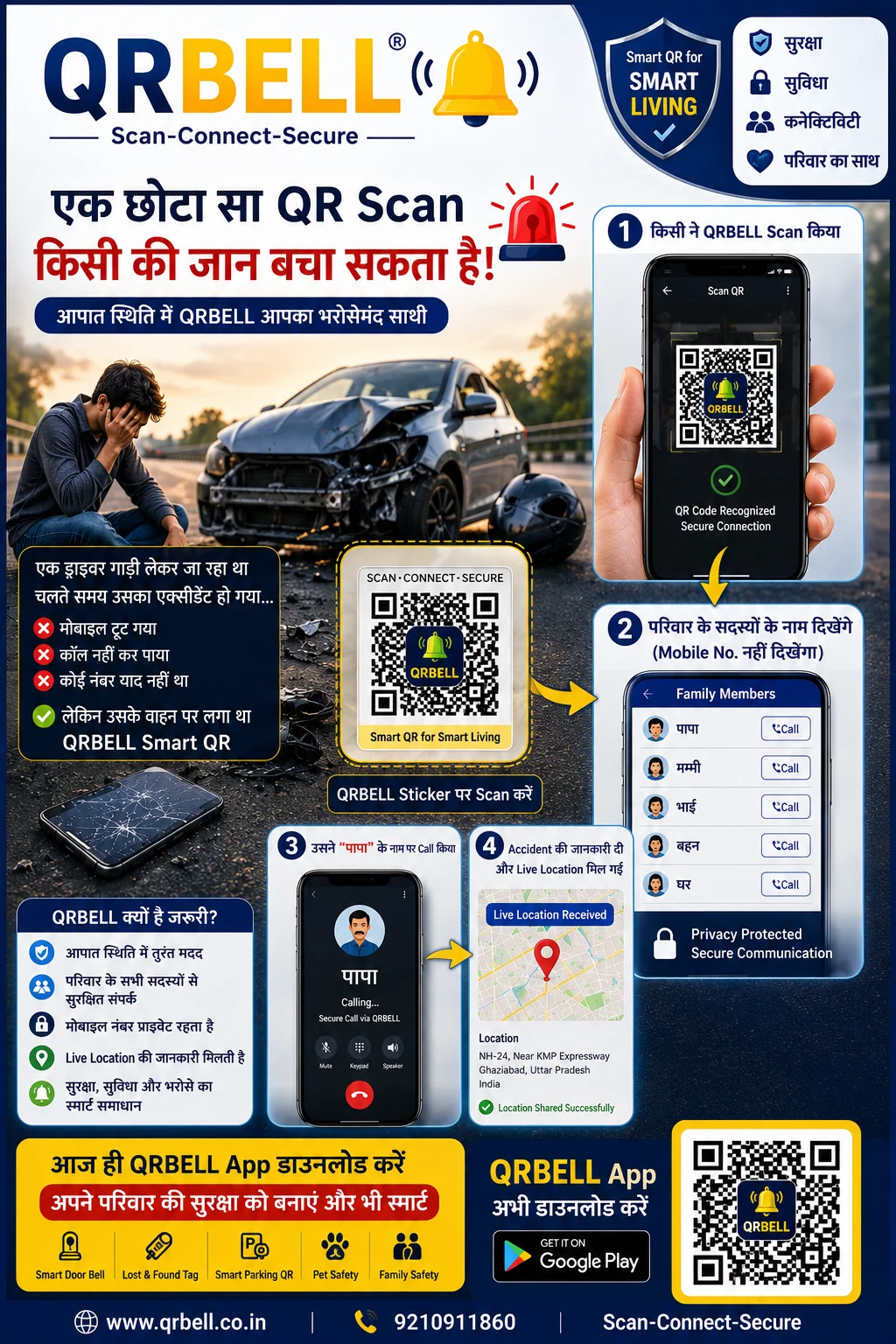
Isi situation me agar bike par QR BELL Connected Tag laga hua ho, to passerby QR code ko notice karke scan kar sakta hai aur available QR BELL contact options ka use karke relevant person tak information pahunchane ki process shuru kar sakta hai।
📱 QR BELL Connected Tag Kaise Help Kar Sakta Hai?
QR BELL ka basic idea hai:
SCAN → CONNECT → INFORM
Agar QR BELL Tag vehicle par properly activated aur configured hai, to available QR-based communication features ke through relevant contact options tak pahunchne me madad mil sakti hai।
Step 1: QR BELL Tag Notice Karein 🔔
Passersby vehicle par laga QR BELL Tag dekhte hain।
Step 2: QR Code Scan Karein 📲
Smartphone ke camera ya available scanning option se QR code scan kiya ja sakta hai।
Step 3: Available Contact Options Dekhein 📞
QR BELL ke configured features ke according available contact or communication options access kiye ja sakte hain।
Step 4: Family Ya Trusted Contact Ko Inform Karne Me Madad
Available contact process ke through relevant family member ya trusted contact tak information pahunchane ki koshish ki ja sakti hai।
Step 5: Timely Action Liya Ja Sakta Hai
Family members situation ki information milne par hospital, local authorities ya emergency services ke saath appropriate action le sakte hain।
❤️ Chhota Sa Tag, Zaroori Samay Par Smart Connection
QR BELL Connected Tag ka concept sirf ek QR code dikhana nahi hai।
Iska purpose hai communication ko smarter aur more accessible banana, especially un situations me jahan vehicle owner khud communicate nahi kar paa raha ho।
Sochiye:
Read Article