 QRBELL Team
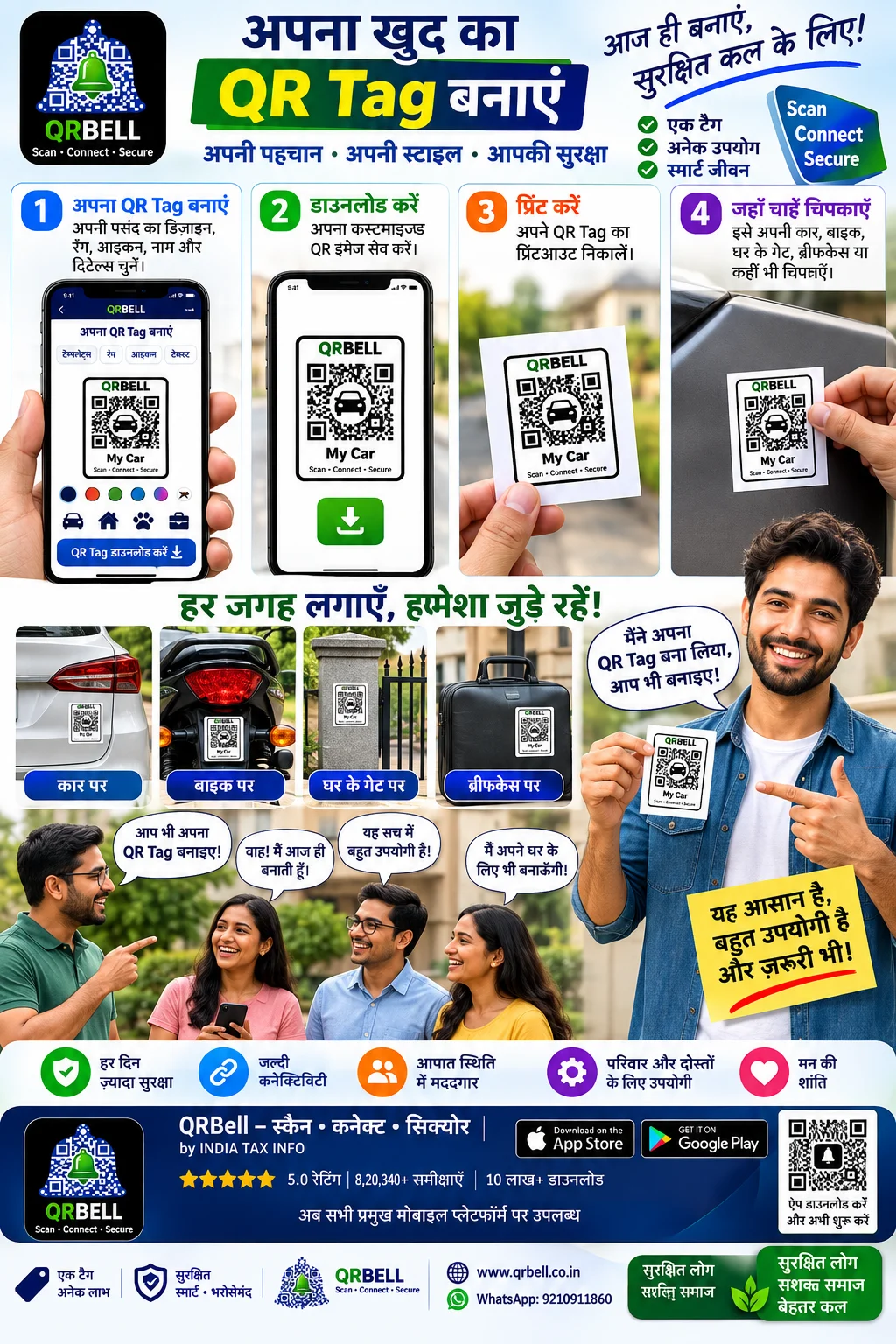
QRBELL: Create, Download and Print Your Own Smart QR Tag for Car, Bike, Home Gate & More
In today’s digital world, QR codes have become an easy way to connect the physical world with digital services. From businesses and products to vehicles and personal belongings, QR technology can make information and communication more accessible.
QRBELL takes this concept a step further by providing users with a smart QR-based platform where they can create and use QR Tags according to their requirements.
The concept is simple:
Create → Download → Print → Place → Scan & Connect
Whether you want to place a QR Tag on your Car, Bike, Home Gate, Briefcase, Luggage or another important item, QRBELL can provide a convenient way to create a QR-based connection for everyday use.
What Is a QRBELL Smart QR Tag?
A QRBELL Smart QR Tag is a QR-based identification and communication solution designed for different personal, vehicle, home and business use cases.
Instead of keeping a QR code only on a screen, users can download the QR image, print it and physically place it wherever it is required.
This makes the QR Tag useful in real-world situations where someone needs to scan the code and access the relevant QRBELL communication experience.
Create Your Own QR Tag
One of the key advantages of the QRBELL concept is the ability to create a QR image according to the user's requirement.
Users can create their QR Tag and then:
- Create the QR Tag
- Download the QR image
- Take a printout
- Place the printed Tag
- Allow others to scan and connect
This provides a simple bridge between a physical object and a digital communication platform.
🚗 QRBELL QR Tag for Cars
A car can be an ideal place for a QR Tag.
A QRBELL Tag can be placed at a suitable visible location on a vehicle so that, where applicable, another person can scan it and access the relevant communication options.
Potential use cases can include:
- Vehicle-related communication
- Contacting the vehicle owner
- Parking-related communication
- Emergency-related communication
- Vehicle identification
- Smart QR-based connectivity
The exact functionality depends on the QRBELL service and features configured for the particular Tag.
🏍️ QRBELL QR Tag for Bikes
Bike owners can also use QRBELL Tags for vehicle-related communication.
A printed QR Tag can be placed at a suitable location on the bike and can provide a simple QR-based way to connect with the relevant QRBELL service.
This can be particularly useful for everyday bike owners who want a simple digital connection attached to their vehicle.
🏠 QRBELL QR Tag for Home Gates
QRBELL can also be used for home and property-related communication.
A QR Tag can be placed near a suitable home gate or entrance, depending on the intended use.
It can potentially help create communication between visitors and residents through QR-based interaction.
This can be useful for:
- Homes
- Farmhouses
- Apartments
- Offices
- Properties
- Private gates
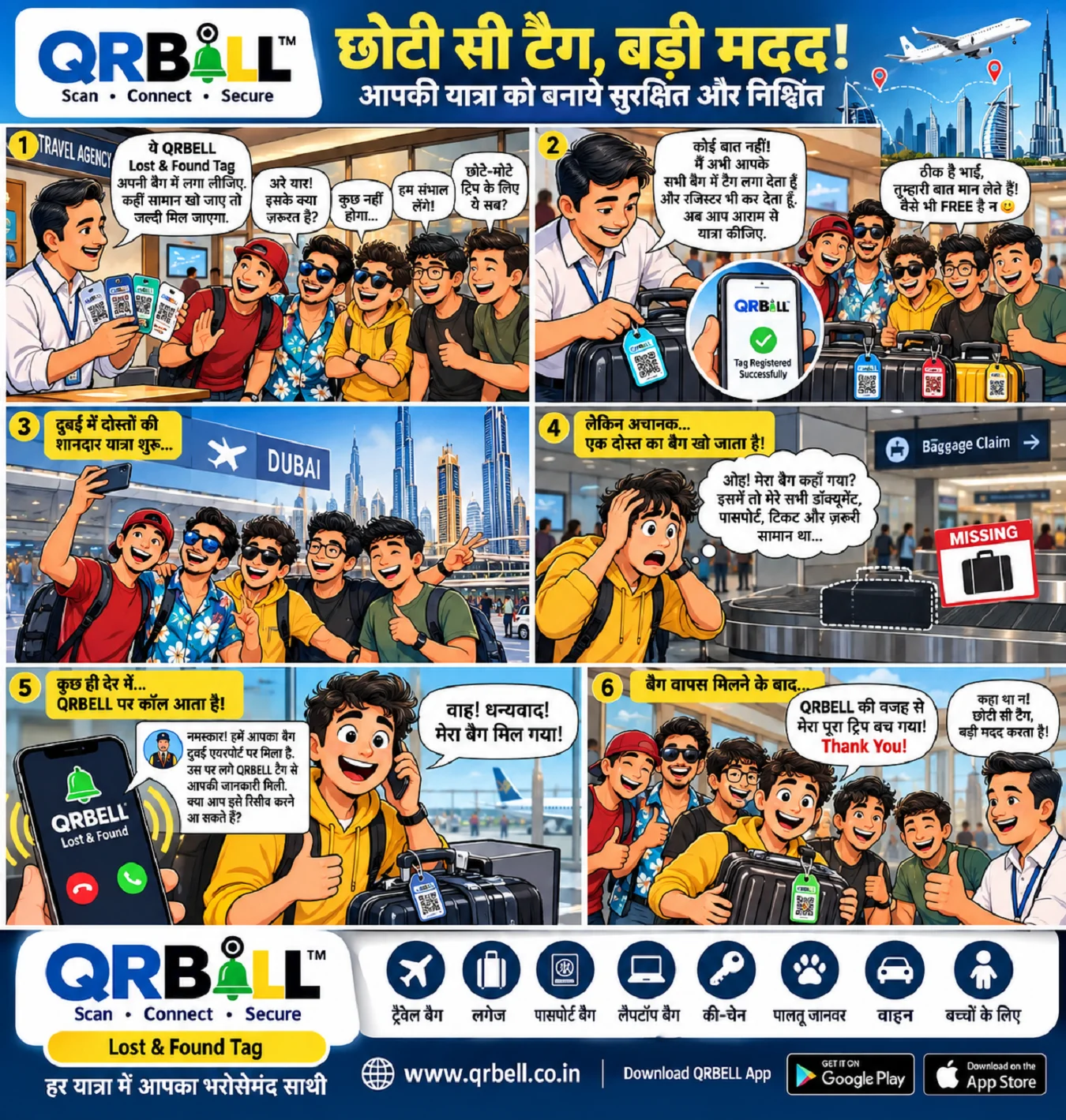
💼 QRBELL QR Tag for Briefcases and Personal Belongings
Important personal belongings can also benefit from QR-based identification and communication.
A QRBELL QR Tag can be printed and placed on suitable items such as:
💼 Briefcases
🧳 Luggage
🎒 Bags
📦 Packages
📁 Important items
🔑 Other belongings
This creates a simple way to attach a digital QR connection to a physical item.
📦 QRBELL for Products and Packaging
Businesses can explore QRBELL QR Tags for product packaging and customer communication.
A QR code printed on a product can potentially provide customers with access to relevant communication or support options.
This can create a more connected customer experience.
For example:
Product → Scan QR → Access Relevant QRBELL Communication
Businesses can use this concept for customer support, product-related communication and other suitable applications.
💬 QRBELL Is More Than Just a QR Code
A traditional QR code generally provides access to a specific digital destination.
QRBELL's broader vision is to use QR technology as a communication and connectivity gateway.
The goal is to connect:
- 👤 People
- 🚗 Vehicles
- 🏠 Homes
- 💼 Personal belongings
- 📦 Products
- 🏢 Businesses
- 👨👩👧 Families
- 👥 Communities
through a connected QR-based ecosystem.
🔐 Privacy-Focused Communication
Privacy is an important consideration in modern digital communication.
QRBELL is designed with a privacy-focused approach so users can use QR-based communication without unnecessarily exposing personal information in every situation.
Users should always follow good digital security practices, including:
- Never sharing OTPs with unknown people
- Protecting account credentials
- Checking QR codes before scanning
- Avoiding suspicious links
- Reviewing application permissions
- Using official QRBELL services
No digital platform should be considered completely risk-free, so responsible usage remains important.
📲 Why Create a Physical QR Tag?
A physical QR Tag has an important advantage: it stays with the object.
For example, instead of verbally explaining how someone can contact you regarding a vehicle or item, a QR Tag can provide a simple digital entry point.
The basic process is:
See QR → Scan QR → Connect
This can make communication more convenient in appropriate situations.
🚀 QRBELL's Future Vision
QR technology continues to become part of everyday life.
QRBELL aims to build a broader ecosystem where QR Tags can become useful across multiple areas of everyday communication.
The future can bring many additional features and use cases that may make QRBELL even more useful for users, families, vehicle owners, businesses and communities.
The vision is to make smart connectivity:
Simple. Practical. Accessible. Connected.
🌐 Who Can Use QRBELL QR Tags?
QRBELL QR Tags can have applications for many different users.
👤 Individuals
For personal belongings and everyday communication.
🚗 Vehicle Owners
For cars, bikes and vehicle-related communication.
👨👩👧 Families
For connected family and trusted-contact use cases.
🏠 Property Owners
For homes, gates, farmhouses and other properties.
🏢 Businesses
For customer communication and business connectivity.
📦 Product Manufacturers
For product packaging and customer care.
🛍️ Retailers
For QR-based customer interaction and communication.
⭐ The Simple QRBELL Process
Step 1 — Create
Create your QRBELL QR Tag.
Step 2 — Download
Download the QR image.
Step 3 — Print
Take a physical printout of the QR Tag.
Step 4 — Place
Put the QR Tag on your Car, Bike, Gate, Briefcase, Luggage or other suitable item.
Step 5 — Scan & Connect
When someone scans the QR code, they can access the relevant QRBELL communication experience.
❓ Frequently Asked Questions (FAQ)
1. What is a QRBELL QR Tag?
A QRBELL QR Tag is a QR-based communication and connectivity solution that can be used on vehicles, homes, personal belongings, products and other suitable applications.
2. Can I create my own QRBELL QR Tag?
Yes, users can create a QR Tag according to the available QRBELL features and requirements.
3. Can I download my QRBELL QR image?
Yes, the QR image can be downloaded where the relevant feature is available.
4. Can I print my QRBELL QR Tag?
Yes. After downloading the QR image, users can print it and place it on a suitable physical object.
5. Can QRBELL be used on a car?
Yes. QRBELL QR Tags can be used for suitable vehicle-related applications, including cars.
6. Can QRBELL be used on a bike?
Yes. A QRBELL QR Tag can be used for suitable bike and vehicle-related communication applications.
7. Can I put a QRBELL Tag on my home gate?
Yes. QRBELL QR Tags can be used for suitable home, gate and property-related communication use cases.
8. Can I use QRBELL on a briefcase or luggage?
Yes. QR Tags can be printed and placed on suitable personal belongings such as briefcases, bags and luggage.
9. Can businesses use QRBELL?
Yes. Businesses can explore QRBELL for customer communication, product packaging, business communication and other suitable applications.
10. Is QRBELL a secure communication platform?
QRBELL follows a privacy-focused approach to communication. Users should also follow standard digital security practices and protect their account information.
11. Does QRBELL replace emergency services?
No. QRBELL should not be considered a replacement for police, ambulance, fire services or professional emergency assistance. In a serious emergency, users should contact the appropriate emergency services immediately.
12. Where can I learn more about QRBELL?
Visit the official QRBELL website:
For assistance, contact QRBELL on WhatsApp:
📲 9210911860
Conclusion
A QR code can be much more than a small square printed on paper.
With QRBELL, users can create a QR Tag, download the QR image, print it and place it on everyday objects such as cars, bikes, home gates, briefcases, luggage and other suitable belongings.
The simple concept of:
Create → Download → Print → Place → Scan & Connect
can help bring physical objects into the digital communication ecosystem.
QRBELL is working toward a future where QR-based connectivity can become a practical part of everyday life.
🔔 QRBELL — Scan • Connect • Secure
📲 WhatsApp: 9210911860
By INDIA TAX INFO PRIVATE LIMITED