 QRBELL Team
QR BELL App – Smart, Secure & Connected Communication
QR BELL – Scan • Connect • Secure is designed to make everyday communication smarter, more convenient and privacy-focused. Whether you want to connect through your home, office, vehicle, visiting card or QR-enabled device, QR BELL provides a simple way for people to scan and connect without unnecessarily exposing personal contact information.
One QR. Multiple Possibilities.
QR BELL combines QR-based communication, audio/video calling, visitor activity, QR management, notifications and location-based information in one user-friendly application.
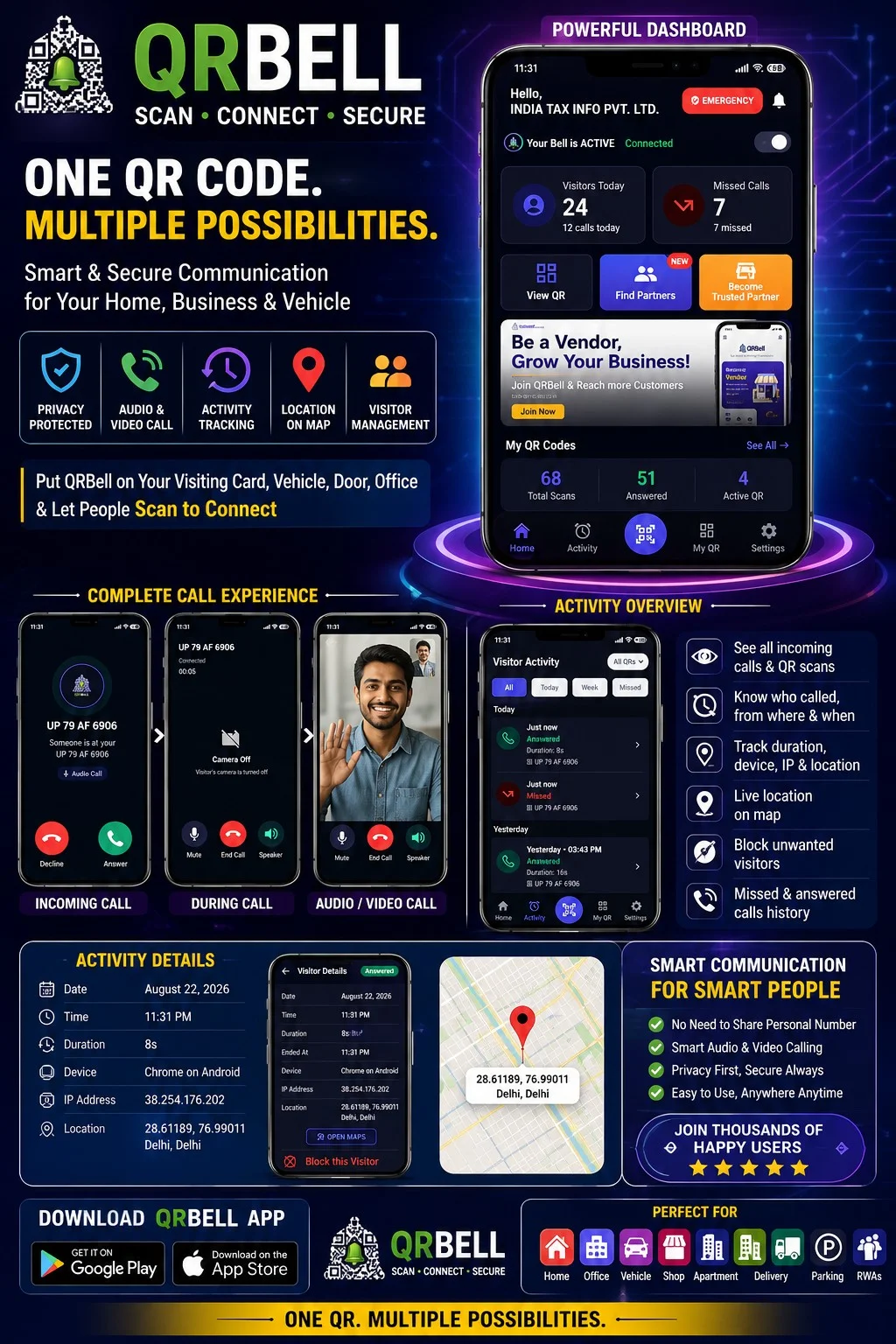
The QR BELL app dashboard gives users a central place to manage their QR codes and view communication activity.
📱 Powerful QR BELL Dashboard
The QR BELL dashboard provides an easy overview of your connected QR services.
Users can view:
- Active QR status
- Visitor activity
- Answered calls
- Missed calls
- Total QR scans
- Multiple QR codes from one account
- Quick access to QR management
- Emergency access
- Partner discovery and partner options
This makes it easier to understand what is happening with your QR codes without checking multiple platforms.
📞 Audio & Video Calling
QR BELL supports convenient communication through QR-based contact.
When someone scans a QR BELL QR Code, the available communication options can allow the user to connect through the supported calling interface.
Calling features include:
- Incoming call notification
- Normal audio calling
- Video calling
- Answer or decline calls
- Mute option
- Speaker option
- Camera on/off during supported video communication
- Call duration information
- Missed and answered call history
This creates a simple communication experience while keeping the QR-based connection at the center.
📊 Activity & Visitor History
One of the important features of QR BELL is its activity dashboard.
Users can review communication activity and understand when their QR was used.
Activity can be viewed through categories such as:
All | Today | Week | Missed
Depending on the available activity information, users can see details such as:
- Date
- Time
- Call status
- Call duration
- QR used
- Visitor/device information
- Location information where available
This provides a convenient history of QR-based interactions.
📍 Location & Map Information
QR BELL can provide location-related information associated with supported visitor activity.
The activity details interface can show available location information along with a map option.
Users may be able to review:
- Visitor location
- Map position
- Date and time
- Device information
- Interaction details
This can be especially useful for understanding where a QR-based interaction originated, subject to the application's permissions, privacy settings and available data.
🔐 Privacy-Focused Communication
Privacy is one of the key ideas behind QR BELL.
Instead of printing or sharing your personal mobile number everywhere, you can use QR BELL on suitable communication points such as:
📇 Visiting Cards
Add QR BELL to your professional visiting card.
📄 Company Letterheads
Give clients and visitors a QR-based way to connect.
🌐 Websites
Place QR BELL on your professional or business profile.
🚗 Vehicles
Use QR BELL for vehicle-related communication.
🏠 Home & Office
Use QR BELL for visitor and contact communication.
The objective is simple:
Stay connected without unnecessarily exposing your personal contact details.
🚗 QR BELL for Vehicles
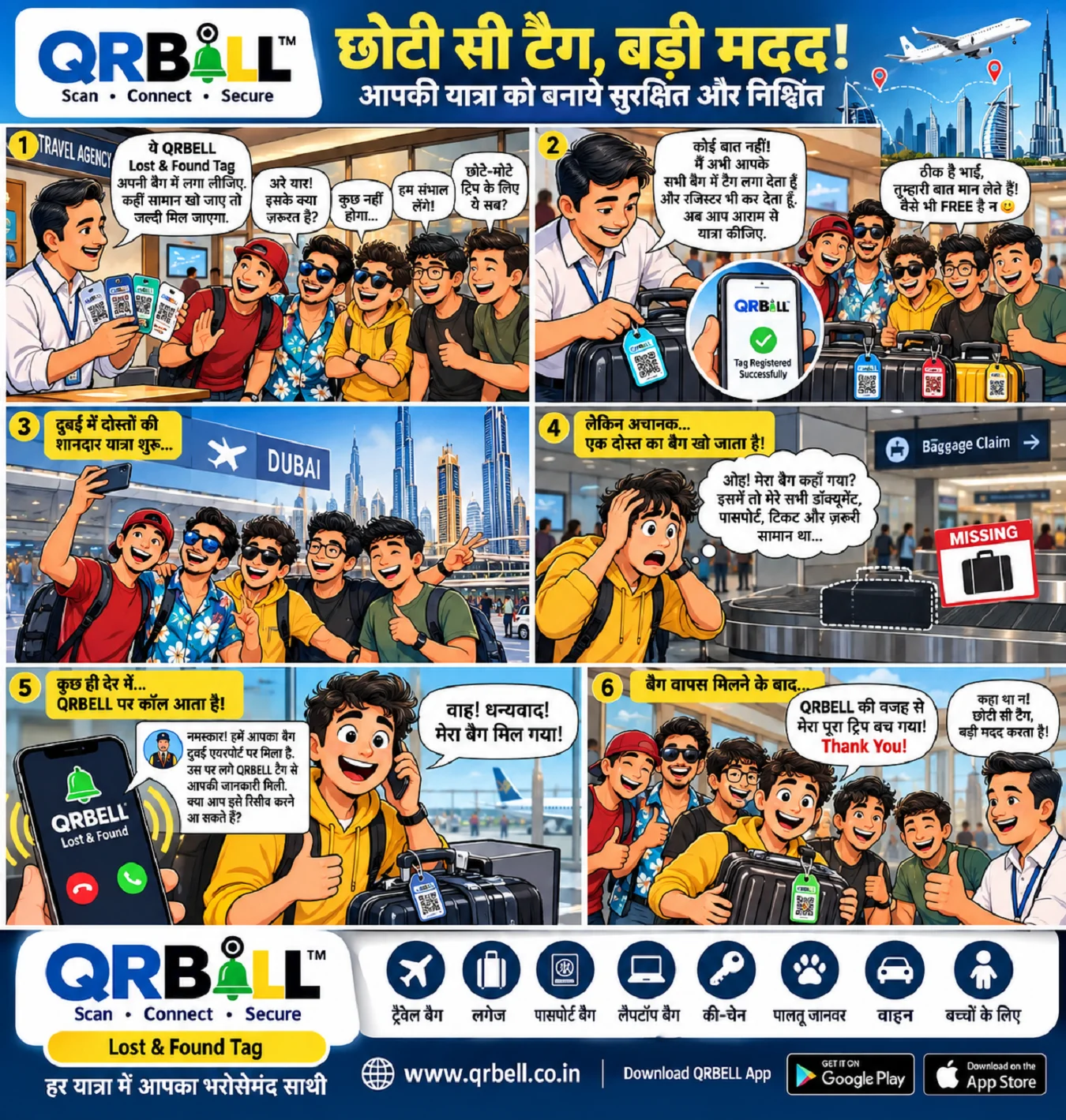
QR BELL can also be used on vehicles to provide a convenient communication channel.
A QR BELL QR Code can help people contact the vehicle owner through the supported QR BELL communication system for situations such as:
- Vehicle contact
- Wrong parking
- Emergency communication
- Vehicle-related assistance
- Other supported contact situations
This can make vehicle communication easier without requiring the vehicle owner to publicly display a personal number.
🏢 QR BELL for Home & Office
QR BELL can be useful for homes, offices and commercial spaces where visitors may need to contact the owner, resident or responsible person.
Instead of searching for a phone number, a visitor can simply:
Scan → Connect → Communicate
This makes QR-based visitor communication simple and modern.
📱 Manage Multiple QR Codes
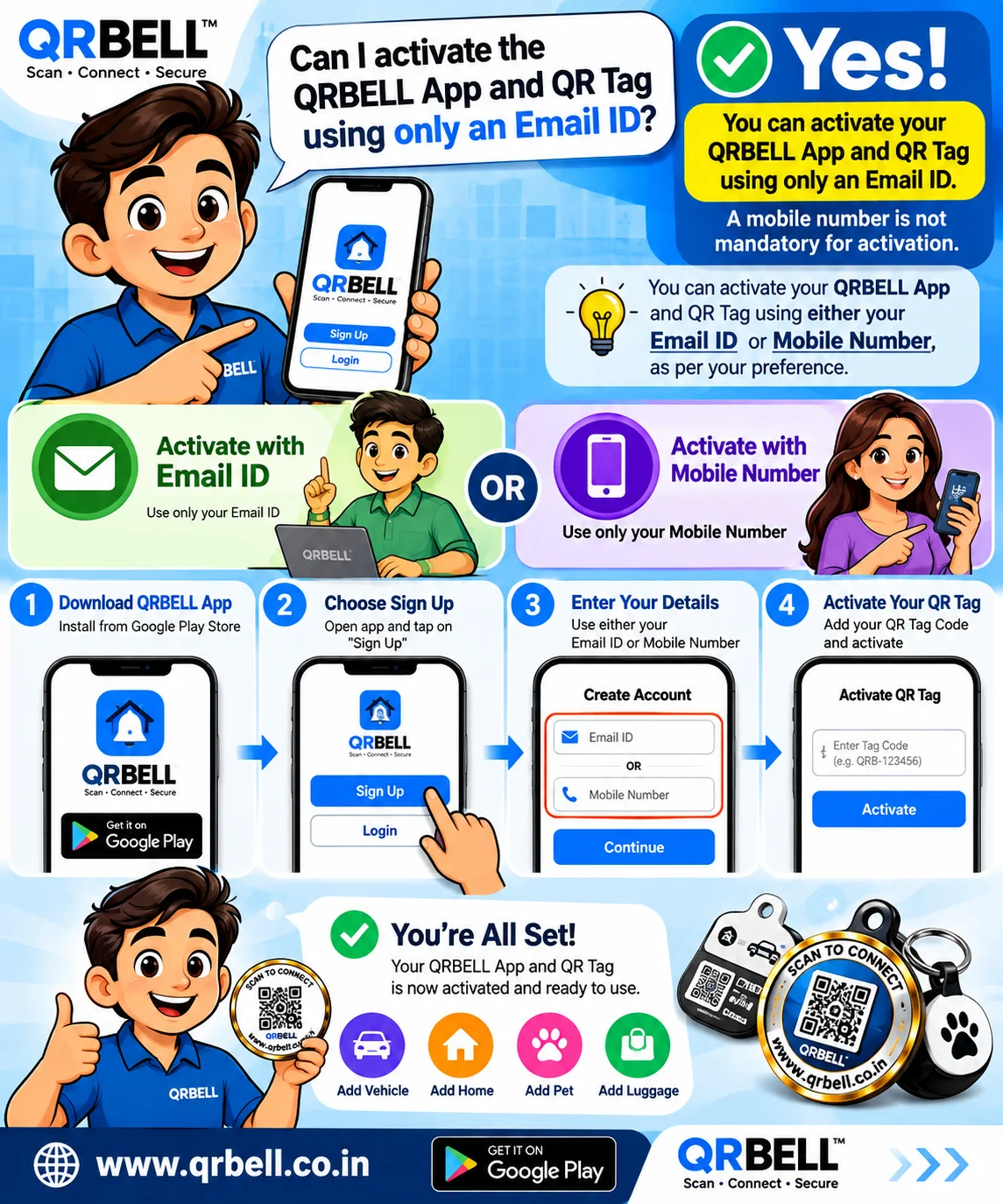
Users can manage their QR BELL codes from the app.
Depending on the enabled service, users can:
- View active QR codes
- Check deactivated QR codes
- Rename QR codes
- Activate or deactivate QR codes
- Download QR codes
- Share QR codes
- Manage QR-specific settings
- Review activity for selected QR codes
This is particularly useful for users who have multiple QR codes for different purposes.
🔔 Notification Controls
QR BELL provides notification controls to make the app experience more convenient.
Users can manage available:
- Notifications
- Sound
- Vibration
This allows users to customize how they receive QR BELL activity alerts.
🆘 Emergency Access
QR BELL also provides quick access to emergency-related services within the application.
Depending on the available location and service integrations, users can search for nearby services such as:
- Police
- Petrol pumps
- Car service
- Other emergency or support services
The goal is to make important assistance easier to access when required.
🤝 QR BELL Partner Network
QR BELL is not only a communication platform; it is also building a partner ecosystem.
Users can discover QR BELL partners in their nearby or selected areas.
Businesses and professionals can also explore the opportunity to:
Become a QR BELL Partner
The partner ecosystem can help QR BELL expand its reach while giving businesses an opportunity to participate in the growing smart QR communication ecosystem.
🌐 Who Can Use QR BELL?
QR BELL can be useful for:
- Individuals
- Families
- Vehicle owners
- Business owners
- Directors and CEOs
- Entrepreneurs
- Professionals
- Offices
- Shops
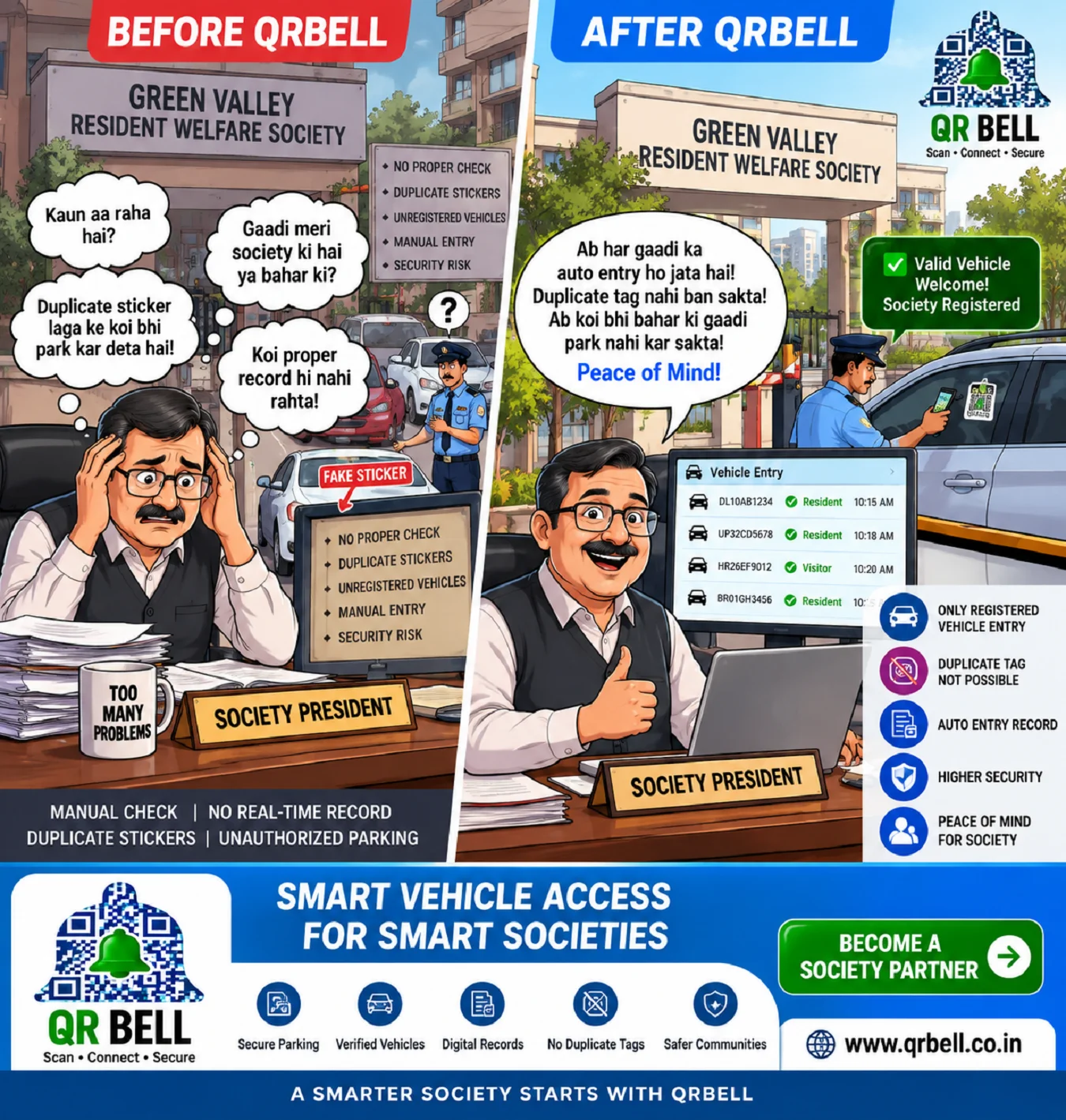
- Housing societies
- Delivery and service businesses
- Parking operators
- Commercial establishments
📲 Download the QR BELL App
The QR BELL app is designed to provide a centralized experience for managing QR codes, communication and activity.
Users can download the application through supported mobile app stores.
QR BELL — Scan • Connect • Secure
Why Choose QR BELL?
🔐 Privacy Focused
Keep personal contact information more controlled.
📱 Smart Communication
Connect through QR-based communication.
📞 Audio & Video Calling
Use supported audio and video communication features.
📊 Activity Tracking
Review QR interaction and call activity.
📍 Location Information
View available location information and map details.
🚗 Multiple Use Cases
Use QR BELL for vehicles, homes, offices, businesses and professional communication.
⚡ Easy to Use
Scan, connect and communicate through one simple QR ecosystem.
🚀 The Future of Smart QR Communication
QR technology is moving beyond simple links and payments. QR BELL aims to transform the QR Code into a smart communication and connectivity tool.
From professional visiting cards to vehicles, homes, offices and businesses, QR BELL brings multiple communication possibilities together in one ecosystem.
One QR Code. Multiple Possibilities.
SCAN • CONNECT • SECURE